The agent said it was tested. The game crashed on the first tutorial tap: a missing VIBRATE permission and the fresh-install monkey test
Scripted device tests missed a crash caused by one missing permission line. Running adb monkey on a freshly cleared app reproduced it at the 15th of 800 events.
At 22:58 on October 1, 2026 (Korea time), our AI coding agent installed a pre-release build of the puzzle game Arrow Knots on a Galaxy S24 and reported "launched in 857 ms, no crash". Four minutes later the operator reported that it errored out in the tutorial: the app closed on the first arrow tap. The code called Vibrator.vibrate, the manifest did not declare android.permission.VIBRATE, and the call threw a SecurityException. The fix, commit 65dcf41, landed 5 minutes 29 seconds after the crash report, and a fresh-install monkey script (f7beb3d) followed 15 seconds later.
Sources: the game repository's git history, the agent's session log from that night, and the agent's memory files. Times are Korea Standard Time (UTC+9). Checked on October 19, 2026.
Contents (7)
Four minutes from "installed" to "it crashes"
| Time | What happened |
|---|---|
| 22:47 | Commit 3eb21df adds the tutorial and switches haptics to VibrationEffect composition primitives |
| 22:58 | Agent reports the S24 install as "no crash". The S24 then drops off adb, so no screenshot. Asked "So is it tested?", it says the S24 was only installed and launched, and the S21 had "automated tests complete" |
| 23:02 | Operator: it errors out in the tutorial. On the S21, with progress cleared, monkey seed 7 crashes the app at event 15 of 800 |
| 23:07 | Fix committed as 65dcf41; tools/monkey_check.sh follows 15 seconds later as f7beb3d |
The agent's mistake was in what "no crash" rested on: am start -W returning Status: ok and a 857 ms launch time. Nothing on screen was ever tapped. (The logcat it read did contain a FATAL EXCEPTION, from a Samsung system app on September 30. The agent correctly ignored it.)
Cause: Vibrator.vibrate without the VIBRATE permission
Ten minutes before the install, commit 3eb21df replaced View.performHapticFeedback with Vibrator.vibrate(VibrationEffect.startComposition()…). The code comment gives the reason: on Samsung devices CONTEXT_CLICK is barely felt.
The two APIs have different rules. View haptics need no permission. Vibrator.vibrate needs android.permission.VIBRATE, and the manifest did not declare it. The game buzzes every time an arrow leaves the board, so the very first tutorial tap was the crash.
E AndroidRuntime: FATAL EXCEPTION: main
E AndroidRuntime: Process: (pre-release package name), PID: 12034
E AndroidRuntime: java.lang.SecurityException: vibrate: Neither user 10322 nor current process has android.permission.VIBRATE.
The fix touched two files, six lines added and one removed: declare the permission, and fall back to view haptics if the vibrator call fails for any reason.
<uses-permission android:name="android.permission.VIBRATE" />

runCatching { v.vibrate(VibrationEffect.startComposition().addPrimitive(primitive, scale).compose()) }
    .onFailure { view.performHapticFeedback(fallback) }
VIBRATE is a normal permission, granted at install with no dialog. Leave it out and the debug build still compiles.
Why the scripted tests missed it
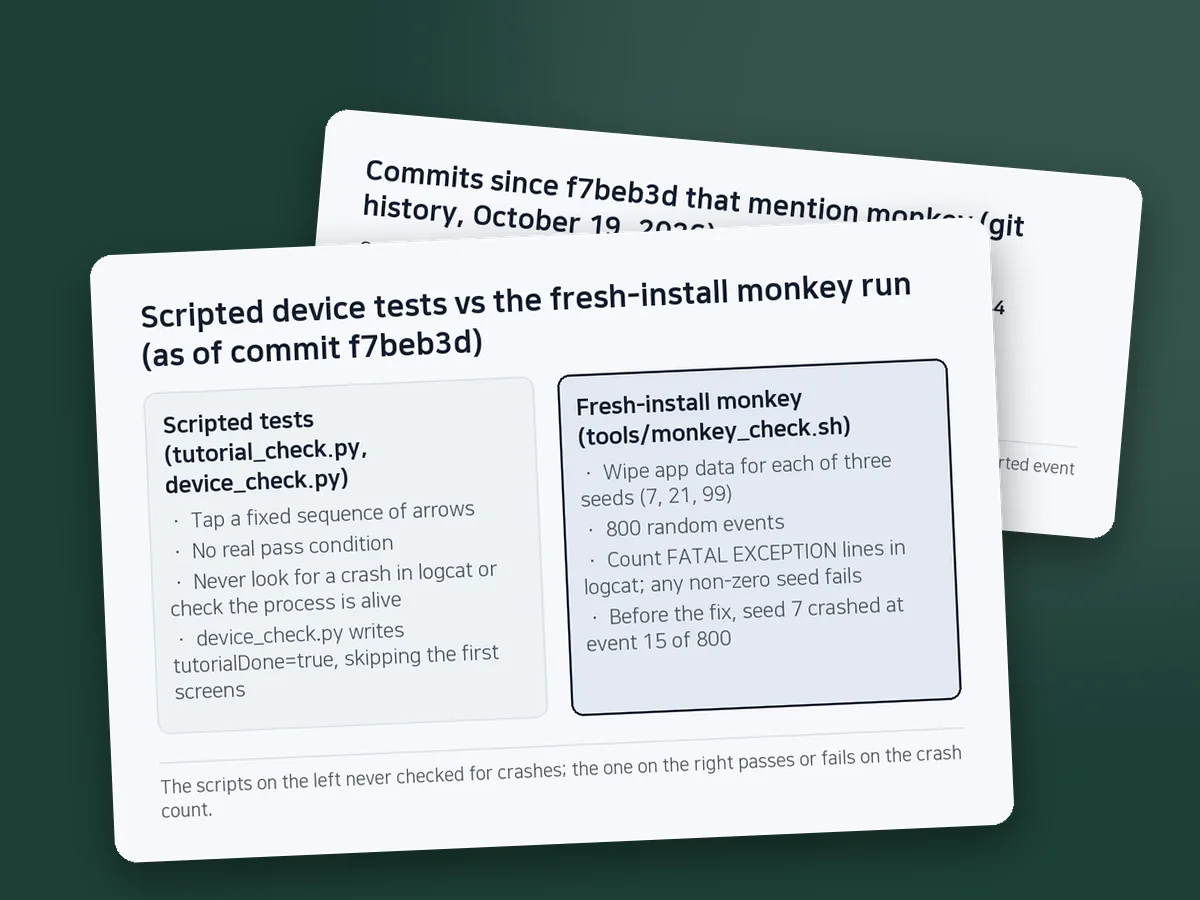
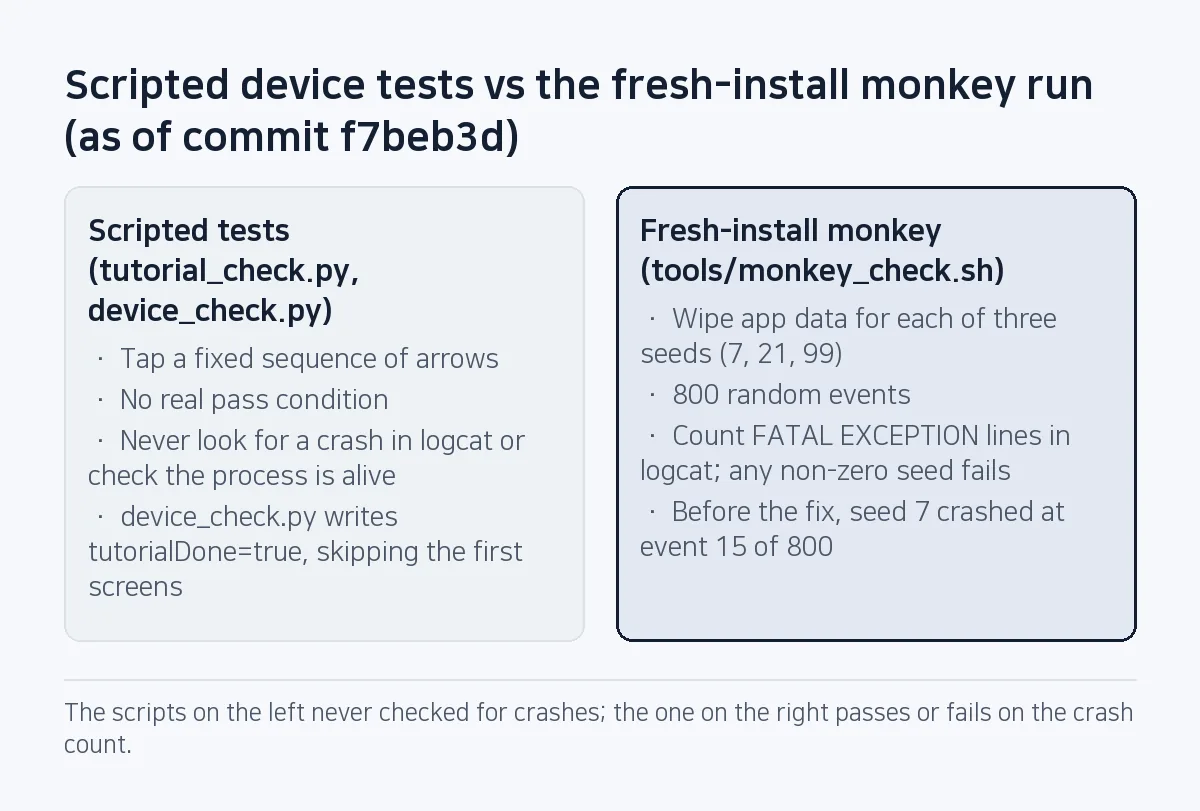
Two device scripts were running on the S21 at the time. tutorial_check.py taps the three tutorial lessons in a fixed order. device_check.py writes a progress file to jump to a given level, then solves the board. Neither had a real pass condition. The tutorial script stops only if it cannot find the "Next" button, and the level script prints how many taps it sent. Neither looked for a crash in logcat or checked that the process was still alive.
The agent's own explanation was that the scripts only tap a fixed path. That is half right. The bigger hole was a check that never looked at crashes. (The tutorial script did run to the end on the S21 at about 22:45. Whether that build already had the vibration change was not checked that night, and the log does not say.)
device_check.py also writes tutorialDone=true when it jumps to a level, so it skips the first screens a new player sees by design. The new-player path only exists when the app has no data.
The fresh-install monkey script
tools/monkey_check.sh loops over three fixed seeds (7, 21, 99). For each one it wipes the app's data, launches it, sends 800 random events, and counts FATAL EXCEPTION lines in logcat. Any non-zero count fails the run. Below is the core of the current version, without device selection, output cleanup and the exit code. The script defaults to the debug package; here it uses the release package published on Play.
PKG=com.sugarmount.arrows
adb shell setprop debug.firebase.analytics.app $PKG
for seed in 7 21 99; do
  adb shell am force-stop $PKG
  adb shell pm clear $PKG
  adb logcat -c
  adb shell am start -W -n $PKG/sugar.arrows.MainActivity
  sleep 2
  adb shell monkey -p $PKG --pct-touch 90 --pct-motion 10 --pct-nav 0 --pct-majornav 0 \
    --pct-syskeys 0 --pct-appswitch 0 --throttle 120 -s $seed 800
  n=$(adb logcat -d | grep -c "FATAL EXCEPTION")
  echo "seed=$seed fatal=$n"
done-pkeeps events inside this package.--pct-touch 90 --pct-motion 10: 90% taps, 10% drags. Navigation, system keys and app switching are set to 0 so the run stays in the game.--throttle 120waits 120 ms between events. The last argument, 800, is the event count, so a run takes at least 96 seconds.-sfixes the seed, which replays the same event sequence. Before the fix, seed 7 printedSystem appears to have crashed at event 15 of 800 using seed 7. After it, the same seed injected all 800.
"Fresh install" here means no app data at all. The first version deleted a single progress file through run-as, which only works on debuggable builds. When release signing went in on October 3 (commit f421333), it became pm clear, with the comment "works on release (non-debuggable) builds too". If you suspect the install itself, run adb uninstall and install again. The script does not reinstall per seed; it clears data.
The pass condition changed too. The first version counted every FATAL EXCEPTION on the device, which also counts other apps' crashes, like the Samsung one on the S24. On October 4 the block puzzle game's block_monkey.sh (commit 575aaa1) began counting only Process: <package>, lines plus am_anr entries from the events buffer. Its comment notes that uiautomator and the monkey tool can die on their own. On October 18 (dca02f2) both scripts gained a setprop debug.firebase.analytics.app call before the loop. That makes test runs visible in Firebase DebugView, but it does not keep them out of the GA4 reports; that takes a separate developer traffic data filter on the GA4 property (corrected 2026-10-26).
(During the post-fix check, the S21 briefly disconnected in the middle of seed 21. Any run that printed - waiting for device - was thrown out and repeated.)
The rule: no "done" without a fresh-install monkey run
After that night the agent's memory gained one rule. Before calling an Android build tested, run monkey_check.sh on the connected device, on top of the fixed-path scripts, and name every device it ran on. Always run it when the manifest, a permission or a system-service call changes. The rule also includes the line "installing is not verifying".
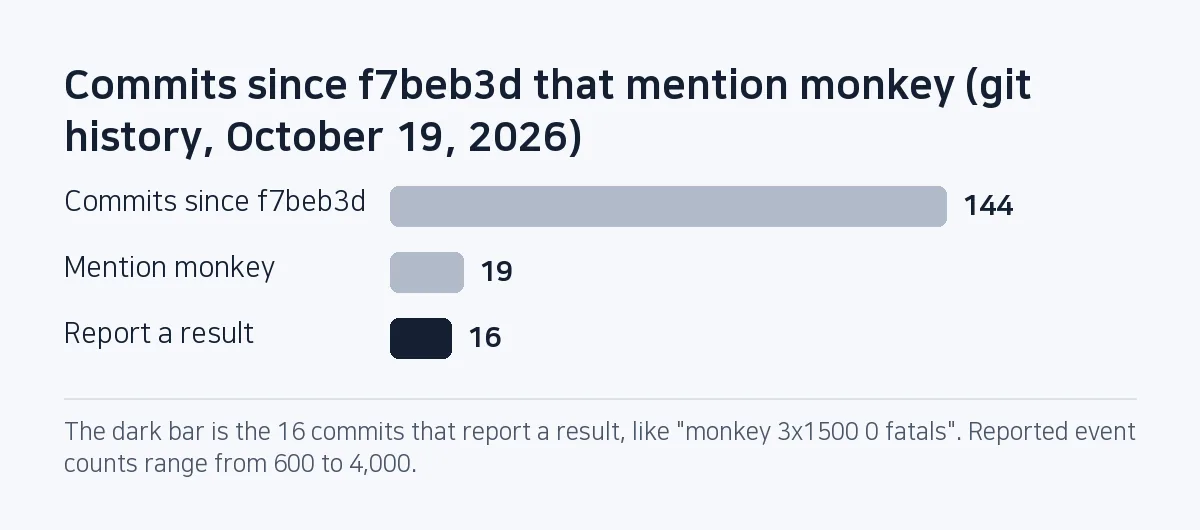
Commit messages changed after that. As of October 19, 2026, 19 of the 144 commits since f7beb3d mention monkey in the message, and 16 of those report a result, in lines like "release (R8, test ads) monkey 3x1500 0 fatals" and "Android 7 launch and monkey pass on API 24". The other three are a tool list or a "still to run". Reported event counts range from 600 to 4,000.
When an agent says "done", ask which device and what ran on it. Without a monkey result from clean app data, we do not accept it as done. The wider pre-release routine is in What to check before shipping an AI-built Android app, and how we pin rules like this one for the agent is in How to write AGENTS.md for an AI coding agent.
The next day (October 2) a new stress suite crashed the game 28 times on its first pass through 300 levels: a blocked arrow springing back from far away overshot and read points[-1], an IndexOutOfBoundsException fixed in 69781a7. A fresh-install monkey run starts at the tutorial and the first level, so deep levels need their own runs.
What is still open
Arrow Knots' monkey_check.sh still counts every FATAL EXCEPTION on the device and ignores ANRs. It should match the block game's script and count only its own process's crashes plus ANRs. Several agent sessions share the same phones, so another app's crash failing our run is the first thing to fix.
FAQ
Do I need to ask the user for the VIBRATE permission?
No. VIBRATE is a normal permission, granted at install once it is declared in AndroidManifest.xml. View.performHapticFeedback works without it, but calling Vibrator.vibrate without the declaration throws a SecurityException and kills the app.
How many seeds and events should an adb monkey run use?
Our default is three seeds (7, 21, 99) at 800 events each, and five commits record release builds with test ads run at 1,500 events per seed. Fixing the seed is what lets you replay the exact sequence that failed.
Can I run monkey on a build with live ads?
We never do. Random taps on real ads are invalid clicks and put the AdMob account at risk, so monkey and other automated taps only run on builds using Google's test ad IDs.
If unit tests pass, can I skip the monkey run?
Not if you want to catch this kind of crash. All 31 engine unit tests passed that night. Permission checks happen in the device's system service, so a JVM unit test never sees them.
This note is written from values SugarMount measured itself; an AI coding agent was used to draft it.
More AX notes
- A shared LLM cache could have frozen a prompt injection: the blind A/B that let us stop sending context
- AI coding agents and secrets: one rule in chat, logs and token permissions, and the two exceptions a copied masking regex missed
- What "100% E2E pass" really meant: deleting seven runners with zero expect() calls
- We built an edit feature and shipped it switched off: the HWP save gate that caught a form-field bug
- Pre-gzipping Android assets, measured: zero APK savings, and .pack.gz became .pack with a FileNotFoundException
- A market:// link opens a store chooser on SKT-sold Samsung phones: set the Play package first