What to check before shipping an AI-built Android app: the release gate and an R8 crash
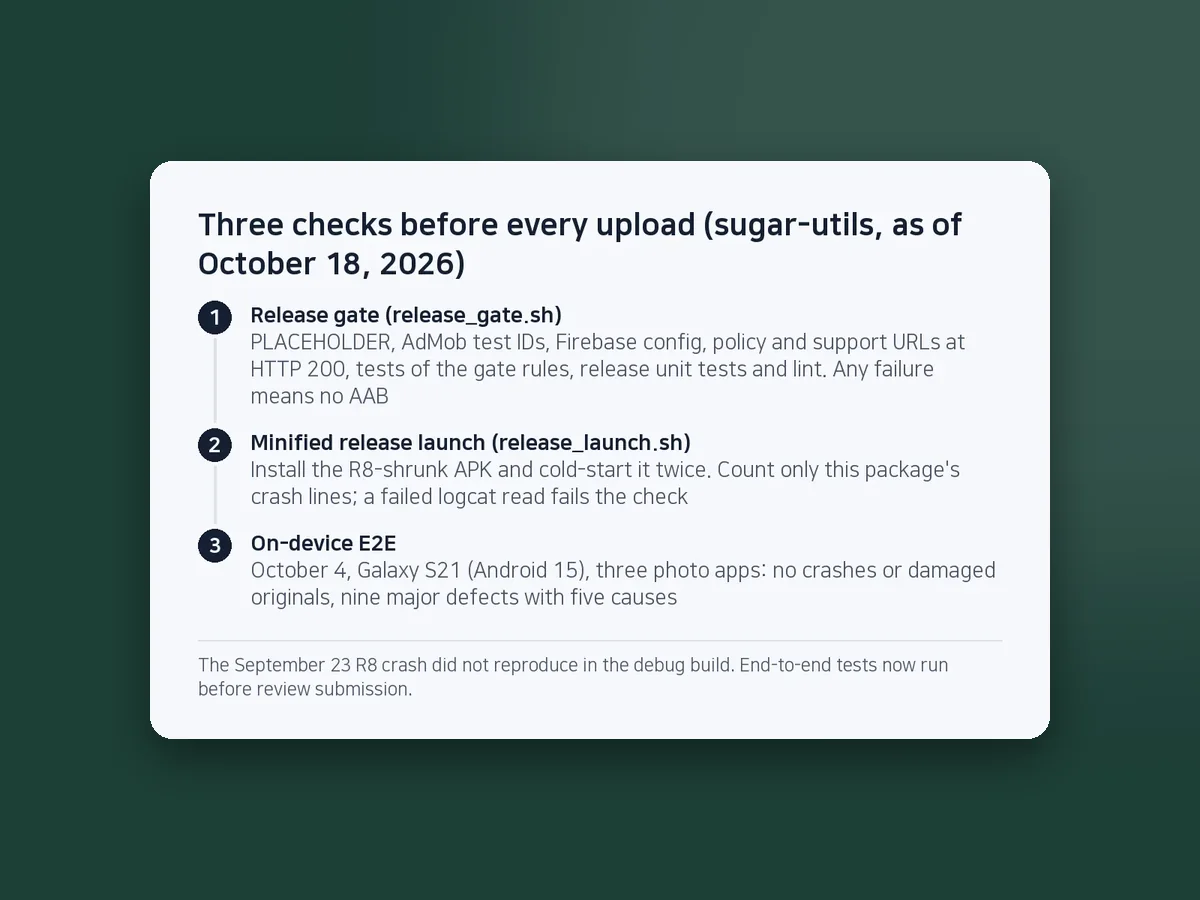
An Android app built with an AI coding agent can run fine as a debug build and still crash the moment its release build starts. So every upload first passes a release gate, a release-build launch check and on-device tests.
On September 23, 2026, the code shrinker R8 removed a single constructor from SugarMount's first app, Compress Image, and every release build crashed at launch. Since then each upload goes through three steps: a release gate, a launch check of the minified release build, and on-device end-to-end tests.
Scripts and numbers come from the code, changelog and on-device QA reports of SugarMount's app repository (sugar-utils), as of October 18, 2026.
Contents (6)
Why did it crash when debug was fine?
Debug builds are not shrunk; release builds use R8 to strip code that looks unused. So there are problems that only the release build has, even when every unit test and the debug build pass.
- Cause: The ads SDK pulls in WorkManager 2.7 and Room 2.2.5. Their keep rule keeps
RoomDatabasesubclasses but not their constructors. R8 full mode, the default in AGP 9, removed the constructor ofWorkDatabase_Impl. - Symptom: The app dies right at launch in
androidx.startupwith "Failed to create an instance of WorkDatabase". The debug build does not reproduce it. - Found: By installing and launching the release APK on a real device (Galaxy S23). Until then no release build had been run on a device.
- Fix: One line in the shared ads module's consumer rules. Room 2.3 and later ship this rule themselves.
-keep class * extends androidx.room.RoomDatabase { <init>(); } |
Step 1: what does the release gate stop?
release_gate.sh <app> checks the following in order and builds no AAB if any of them fails.
| Check | Mistake it stops |
|---|---|
| Any PLACEHOLDER left in the config file | Releasing a freshly scaffolded app without its IDs |
| Any AdMob test ID left | Shipping test ads (zero revenue) |
| Firebase config file present | A release without analytics and crash reports |
| Privacy policy and support URLs return HTTP 200 | A 404 behind the policy link in Settings or on the store listing (a policy problem) |
| Tests of the gate rules themselves | A broken check that silently stops nothing |
| Release config check, release unit tests, lint, AAB build | Config and translation gaps that exist only in the release variant |
HWP Viewer SugarDoc, which has no ads, is checked the other way round: the build fails if an ads SDK enters the release dependencies or an advertising ID permission is merged into the manifest.
Step 2: launch the minified release build twice
release_launch.sh <app> <device> installs the R8-shrunk release APK, force-stops the app and cold-starts it twice. After each launch it counts only this package's lines in the crash log since that moment, and checks that the process is alive.
- It never clears logcat, so it works on a phone other people use too; other apps' crashes are not counted.
- If reading logcat fails, the check fails. It never turns into "no crash".
- The rule to run it before every upload is also written in the agent instruction file (the AGENTS.md note).
Step 3: what did on-device end-to-end tests find?
Results for the three photo apps on a Galaxy S21 (Android 15), October 4, 2026, scenario by scenario:
| App | Passed / failed / skipped |
|---|---|
| Compress Image | 24 / 2 / 2 |
| Flip & Rotate Image | 25 / 4 / 1 |
| Convert Image | 22 / 3 / 2 |
No crashes and no damaged originals; the minified release builds of all three launched cleanly both times. But there were nine major defects with five distinct causes. The biggest, shared by all three apps: if the system killed the app mid-job, the progress screen froze at 0 / 0. Neither the emulator nor the unit tests had shown it.
These tests ran after the apps had been submitted for production review, which was the wrong order. Now end-to-end tests come before submission; after the fixes, 410 unit tests, lint and all three release gates passed again before release.
When you let AI run the checks
- "It builds" is not "done". Agents tend to report completion once code compiles. Make them report which device checked what, and what was not checked.
- Test the test tools. A script that waits for a screen once exited with success on timeout, so later checks ran on the wrong screen. It now fails on timeout.
- Verify with a different agent. In on-device QA, three per-app agents found defects and a fourth reproduced each one with its own screenshots and traced the cause in the code.
Frequently asked questions
Can you catch R8 problems in advance?
The surest way is to actually launch a build shrunk with the release settings on a device. Debug builds and unit tests never go through shrinking, so they cannot catch a missing keep rule.
Is an emulator enough?
It was not. State loss after process death, and "keep original name" failing because of the file names the photo picker hands over, showed up only in on-device tests. Use the emulator for quick checks and a real device before release.
Are the gate scripts public?
The repository is private. The table above lists every check shared by all apps, so you can build the same thing in the same order. The HWP viewer adds checks that compare its document engine files and fonts against pinned sources.
This note is written from values SugarMount measured itself; an AI coding agent was used to draft it.
More AX notes
- A shared LLM cache could have frozen a prompt injection: the blind A/B that let us stop sending context
- AI coding agents and secrets: one rule in chat, logs and token permissions, and the two exceptions a copied masking regex missed
- What "100% E2E pass" really meant: deleting seven runners with zero expect() calls
- We built an edit feature and shipped it switched off: the HWP save gate that caught a form-field bug
- Pre-gzipping Android assets, measured: zero APK savings, and .pack.gz became .pack with a FileNotFoundException
- A market:// link opens a store chooser on SKT-sold Samsung phones: set the Play package first