We pressed BACK at seven moments before shipping one 'Save as PDF' button
BACK pressed at seven delays after the Save tap split cancel from done at 0.9 to 1.0 s on a Galaxy S20 and 0.75 to 0.9 s on a Galaxy S21, and left no empty file.
Building the SugarDoc HWP viewer 5/8
When an Android app saves a PDF through the system file picker (the Storage Access Framework, SAF), an empty file exists the moment the user taps Save. Press BACK right after, and you can be left with an empty or half-written file. On October 18, 2026 we checked 'Save as PDF' in HWP Viewer SugarDoc 1.2.0 on a minified release build, pressing BACK at seven moments between 0.3 and 1.8 s after the Save tap. Neither side of either boundary left a partial file, and only then did 'PDF Save' go into the store title.
Contents (10)
- The BACK boundary: 0.9 to 1.0 s on the S20, 0.75 to 0.9 s on the S21
- Three conditions before 'PDF Save' could go in the title
- One save passes five stages, and the empty file comes first
- Defect 1: the fd was closed while the WebView was still writing
- Defects 2 and 3 sat in the short gap while the file opened
- Four of the first five delays hit a finished save
- The SAF save checklist we ran on the release build
- Whether BACK hit the write stage could not be seen from outside
- A 6-page-cap phone and saving to Drive are still untested
- FAQ
The BACK boundary: 0.9 to 1.0 s on the S20, 0.75 to 0.9 s on the S21
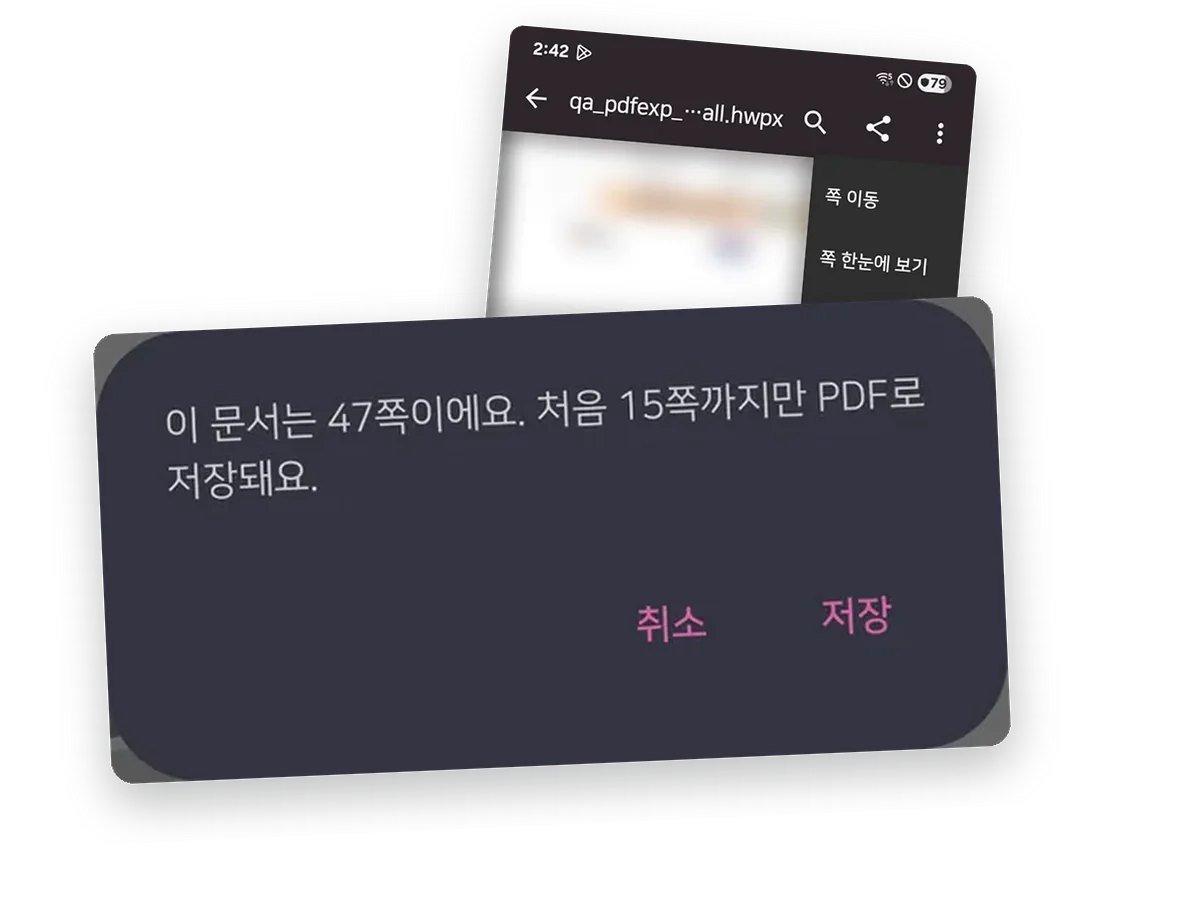
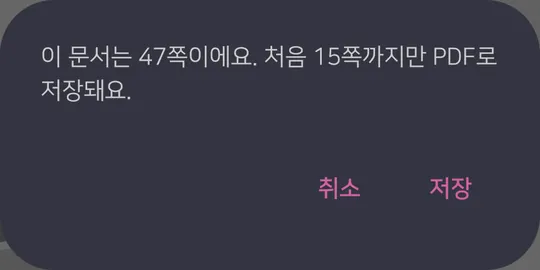
The test document was a 47-page HWP file (HWP is the Korean word processor format the app opens). SugarDoc saves at most the first 15 pages of a long document, so the save shows a notice that only the first 15 of 47 pages will be saved and then writes a 15-page PDF. After tapping Save in the system file picker, the script sent BACK at 0.3, 0.45, 0.6, 0.75, 0.9, 1.0 and 1.8 s, then checked the Download folder: was a file left, and if so, did it start with %PDF-, end with %%EOF and hold all 15 pages?
On the Galaxy S20 (Android 13), BACK up to 0.9 s cancelled the save and the file was deleted; from 1.0 s the save had already finished and the full 15-page PDF stayed. On the Galaxy S21 (Android 15), BACK cancelled up to 0.75 s and met a finished save from 0.9 s. Neither phone produced a zero-byte file, a header-only file or a crash.
Three conditions before 'PDF Save' could go in the title
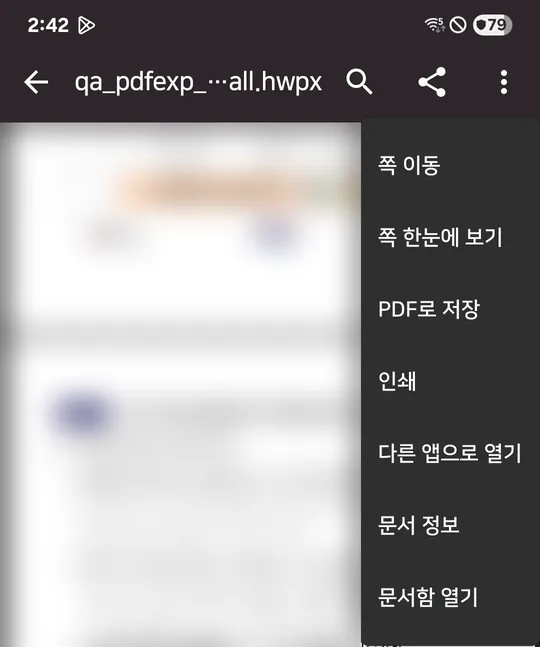
SugarDoc had a 'Print / Save as PDF' menu item since 1.0.0: it opened the system print screen, where the user picks 'Save as PDF' instead of a printer. On October 17 we started work on the app's Play search ranking, and the lead agent assumed PDF saving had never shipped. A research agent that read the code corrected it. What was missing was a direct save that skips the print screen, and a store title that says the app can do it.
The ASO plan written that day put three conditions on the new title, 'SugarDoc HWP Viewer & PDF Save' in English: the direct save ships; a minified release build saves and reopens a PDF on recorded devices; the saved PDF opens in another PDF app. A user who arrives from that title and meets a print dialog is likely to leave a one-star "PDF save doesn't work" review, and with zero reviews at the time, that one review would be the whole rating.
Two ways of building it were dropped. Drawing pages into a PdfDocument inside the app had already failed an earlier spike: a 50-page manual peaked at 1.95 GB of memory and writeTo took 10.9 s, and bundling fonts would push the APK past its 26 MB size gate. Saving past the 15-page cap by writing 15-page chunks and merging them was out too: the WebView renderer holds about 7 to 8 MB per page until the document closes, and a PDF merge library would need its own license check. So the save keeps the WebView PrintDocumentAdapter the print path already used and only swaps the destination for a document SAF creates. The cap stays the same as printing: 15 pages, 6 on low-end phones.
One save passes five stages, and the empty file comes first
'Save as PDF' starts the system picker with ActivityResultContracts.CreateDocument("application/pdf"), which is SAF's ACTION_CREATE_DOCUMENT. When the user names the file and taps Save, the document provider creates an empty document right there and returns its URI. The app records that URI as a just-picked target and refuses to write or delete any URI that is not on that list, because the app has a rule never to write to a user's original files.
Next the app lays out the pages through the same path as printing, opens the file on an IO thread with openFileDescriptor(uri, "wt") (falling back to "w" for providers that refuse truncation), and calls onStart, onLayout, onWrite and onFinish on the WebView print adapter itself, with no print dialog. The result callbacks have constructors that are package-private in the SDK, so only that piece lives in the android.print package, as a 99-line file; there is no reflection. When the write ends the app checks for a zero-byte file and closes it. A failed or cancelled save deletes the created document with DocumentsContract.deleteDocument.
The document exists before any byte is written, so a stop at any later stage leaves a named, empty PDF in the user's folder unless the app deletes it. Close and delete is the default on any stop, but while the WebView is writing to the fd, closing it was the dangerous part.
Defect 1: the fd was closed while the WebView was still writing
The implementing agent's first version closed the fd and deleted the file as soon as a save stopped, whether from BACK, a timeout or the reader closing, without waiting for the WebView's write result. Its report listed this as a risk and assumed that a late write would simply fail. The debug build passed 17/17 on both phones and all 504 unit tests were green.
A review agent started in a fresh context rated that assumption a High defect. According to the review and the code comment that now sits on the writer, the WebView (Chromium's AwPrintManager) writes to the raw fd number from a background thread without duplicating it. Once the app closes the number, another file the app opens next, a database or a document copy, can get the same number, and the late PDF bytes land in that file instead of failing. onFinish was also being called before the write ended. We did not open the Chromium source ourselves this time.
The fixed writer reports a settled flag with the result. A stop before the write starts is settled, so the app closes and deletes at once. A stop during the write is not settled: the app leaves the fd open, never counts it as saved and deletes the document, and the writer calls onFinish and closes the fd after the adapter's own write result arrives. If the WebView never answers, one fd stays open until the process ends; the review judged that a smaller harm than a corrupted file. Three Robolectric tests pin this rule.
No person edited this code. The review happened because of the operator's standing rules: get a review from a separate context after a large change, and do not call anything done before the minified release build has run on real phones.
Defects 2 and 3 sat in the short gap while the file opened
Defect 2 lost BACK presses. The cancel handle was registered when the write started, and while the file was opening on the IO thread after page layout, the handle was still empty, so a BACK in that gap was ignored and the save went on. The implementing agent had listed this gap among its risks. The review added a pending-cancel flag that stops the write the moment the handle is registered, plus one controller test.
Defect 3 was the Activity going away while the file opened. If the coroutine was cancelled there, the opened result could be dropped: the fd would leak, an empty PDF could stay in the user's folder and the progress cover could stay up. Now the cancellation handler closes the fd, deletes the document, ends the save as cancelled and rethrows. This is Activity code, so there is no JVM test; it was checked on the phones by recreating the screen and killing the process.
After the three fixes, unit tests stood at 508 debug (504 + 3 + 1) and 469 release, all passing. The guard-removal table, which deletes each guard in turn and expects a test to fail, grew from 29 to 32 rows. The review also noted that some existing rows only pinned source strings, so breaking the behaviour while keeping the string would still pass; the Robolectric tests cover that. The guard-removal method has its own note, Catch fake AI-written tests by deleting their guards.
Four of the first five delays hit a finished save
The release-checking agent first chose BACK delays of 0.3, 1.0, 1.8, 2.6 and 3.5 s. In the first S21 run, on an earlier build with the flag on, only 0.3 s cancelled. The other four all left a complete 15-page PDF of 851,990 bytes: BACK arrived after the save had finished and just closed the reader, leaving the launcher on top.
Seeing that, the agent packed six delays between 0.3 and 1.0 s and kept 1.8 s, which produced the boundaries at the top of this note. The same first run had two failures, both from the test method. The developer option always_finish_activities did not take effect when changed at run time, so Activity recreation moved to a font_scale change and process death to am kill. Chrome 155 on the phones would not open a content:// PDF, so the Chrome check stopped counting as pass or fail.
On the 1.2.0 (5) build the 37 items passed 37/37 on the S21 and 36/37 on the S20. The S20 failure came from uiautomator dump dying with an NPE. The base script's crash filter did not match on the package name, so it counted the test tool's crash; that log had zero lines from the app's package. A rerun on the earlier flag-on build scored 37/37 on both phones.
The SAF save checklist we ran on the release build
These are the items from the 37 that carry over to other apps, in order. Run all of them on a minified release build with the feature flag on; a debug build never exercises code that R8 removed or rewrote.
- Cancel in the picker and confirm no file appears.
- Save a small document and check the
%PDF-header,%%EOFand the page count. We used a 3-page HWPX. - Save a document over the cap and check the notice and the capped page count (15).
- Reopen the saved PDF in the app twice. We got 15 drawn pages and 0 failed pages.
- Find when the save finishes with a coarse grid of BACK delays, then press again every 0.15 s in front of that point. Each time, check for leftover files, zero bytes, header and end marker, and crashes.
- Cancel with BACK after 0.15 s, then save again and confirm it works.
- Recreate the Activity while the picker is up, and 0, 0.3 and 0.6 s after the save. Changing
font_scaledoes it. - Kill the process with
am killwhile the picker is up and confirm no empty file is left when the result comes back. - Count
Accessing hiddenlines for the app process, StrictMode and R8 errors (ClassNotFound, NoSuchMethod) in logcat, and filter the crash buffer by the app's package. All were 0 on this build. - Open the saved PDF in another PDF app. The phone's Chrome refused it, so we checked all 15 pages in desktop Chrome.
If you ship a SAF save, do not stop after pressing BACK at one moment. Here cancel and done were 0.1 to 0.15 s apart. On Oct 18, the day of this run, the operator ran the production promotion by hand around noon, and the new title went in a few minutes later.
Whether BACK hit the write stage could not be seen from outside
From outside the phone there was no way to tell whether BACK landed during page layout or while the bytes were being written to the file. What we know is that on both sides of the cancel-to-done boundary (0.75 to 1.0 s) there were no leftover files, no zero-byte files and no crashes. We did not watch the defect 1 fix act mid-write on a device.
The boundaries come from two phones and one 47-page document. Another phone or another document will have its own boundary, so the grid has to be found again. The write-timeout path cannot be forced on a device and was checked only by unit tests. If a document provider hands over a pipe instead of a regular file, the size reads as -1, the zero-byte check does nothing, and the app trusts the adapter's result callback alone.
The WebView print path and the 222-document measurements are in Building an Android HWP viewer: rhwp in a WebView, measured on 222 documents.
A 6-page-cap phone and saving to Drive are still untested
We had no phone in the low-end tier (6-page cap), so that path has only unit tests. Saves went only to the default Download folder; Google Drive, SD cards and other document providers were not tried. There are no records yet for an S23, tablets or foldables, landscape, or saving with TalkBack on. For Drive, the first question is whether it actually takes the pipe path above.
FAQ
Does cancelling ACTION_CREATE_DOCUMENT leave an empty file?
Cancelling in the picker returns a null URI and creates no file. After the user taps Save, the provider creates an empty document first, so if your write fails or is cancelled after that, you must delete it yourself with DocumentsContract.deleteDocument.
Can I close the ParcelFileDescriptor right away when the user cancels?
Only if the write has not started. If a WebView print adapter is already writing, keep the fd open until the adapter's write result arrives. Another file of your app can reuse a number you closed early, and late PDF bytes can land in it.
Can a WebView be saved as a PDF without the print dialog?
It can: call onStart, onLayout, onWrite and onFinish on the adapter from createPrintDocumentAdapter yourself. The result callback constructors are package-private in the SDK, so the file that creates them must sit in the android.print package, and you should check a release build for hidden-API warnings and R8 errors.
Sources: the SugarDoc 1.2.0 release record and the October 18 commits, the store listing plan, and agent reports from October 17-18 (rechecked November 4). Device serials are left out.
This note is written from values SugarMount measured itself; an AI coding agent was used to draft it.